
4.2 Labeling hyperspectral data and creating a training dataset
This section describes the workflow for labelling input data, a critical step in training models that are both accurate and reliable. Proper data labelling, especially for key classification features, is essential to the development of high-performing models.
Beyond assigning primary classification labels, the training data may also be enriched with supplementary variables that offer supporting context. When accessing the project menu, users can view all analysed samples displayed in a tabular format in the left-hand panel. The process begins with adding a secondary variable or identifier (Figure 32), which contains descriptive details for each sample. This is done via a dedicated button at the bottom of the interface. At this stage, the type and name of the additional variable or identifier are selected (Figure 33), followed by assigning specific values to each sample accordingly (Figures 34, 35).
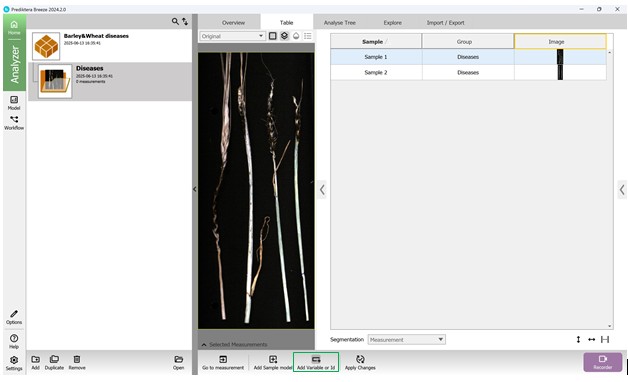
Figure 32 – Addition of an extra Variable or Identifier
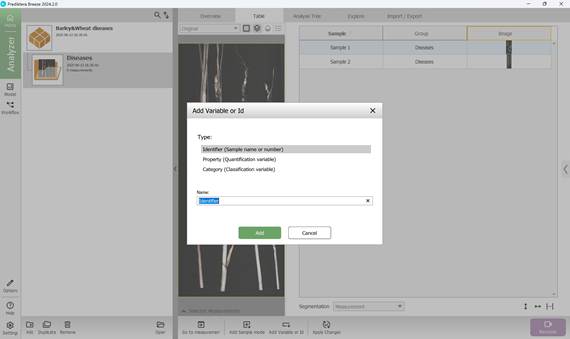
Figure 33 – Selection of additional Variable or Identifier type and naming
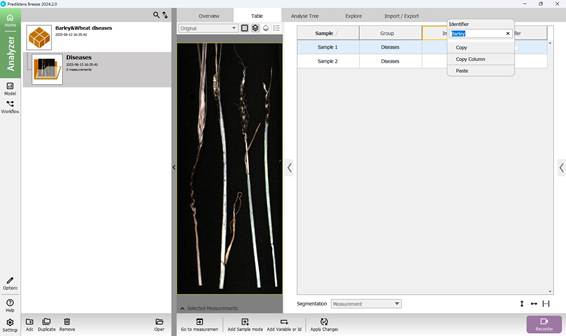
Figure 34 – Naming the Variable or Identifier for each sample
Likewise, the primary classification categories are included (Figures 36 and 37), with predefined values assigned to them - namely, the recognised names of agricultural crop diseases (Figure 38).
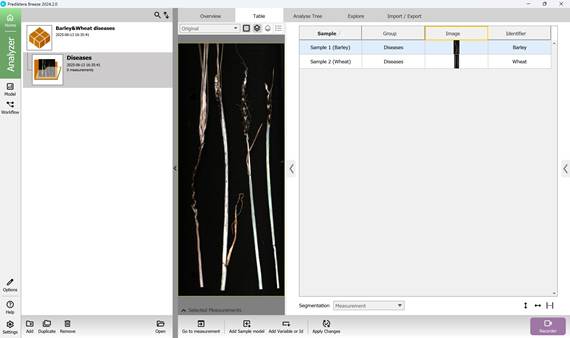
Figure 35 – Sample selection with named additional Variables or Identifiers
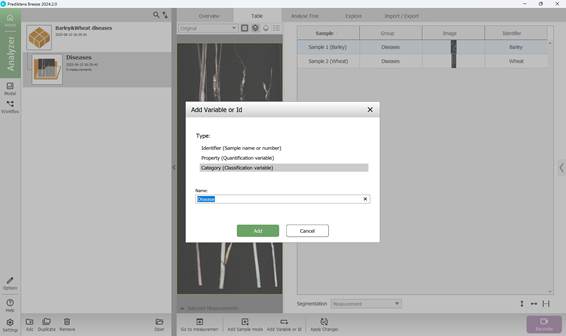
Figure 36 – Addition of a classification Variable (Category)
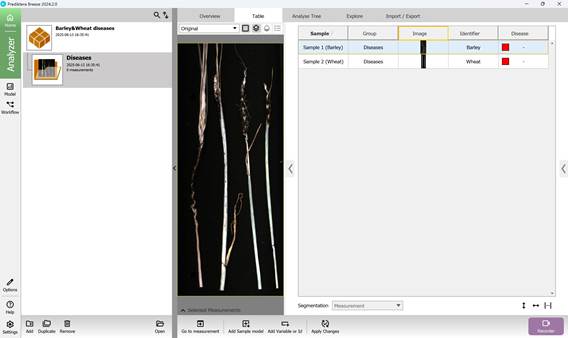
Figure 37 – Default unknown classification Variables (Categories)
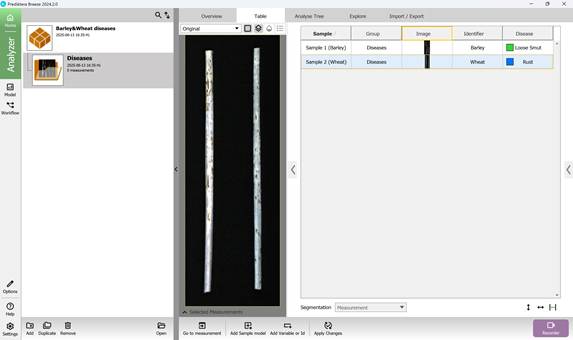
Figure 38 – Assigning known classification Variables (Categories)